
Draw Rider Plus
17Studio LLCRacing
3.3582.00 Reviews
- Version
- 10.0
- Installs
- 100.00K
- Age Rating
- Everyone 10+
Screenshots




Our Review of Draw Rider Plus
 Analysis by Appyee
I like bike games that give me something to do besides steer along a track, and this one’s appeal is the chance to shape the route as well as ride it. That makes Draw Rider Plus a different sort of racing game: less about chasing a realistic sense of speed and more about figuring out what kind of line a bike can handle. It suits short bursts of experimentation, though it won’t satisfy everyone looking for a polished, conventional race.
How fast does it feel?
The pace is best judged by the way a run unfolds rather than by expecting a high-speed racing simulation. Your attention goes to the drawn path, the bike’s response, and whether a jump or dip will work. A quick-looking route can still be tricky to ride, so I found that planning and control matter more than simply trying to go faster.
That distinction is useful if you’re deciding whether this fits your idea of a racing game. If you want rivals, a familiar circuit, and a focus on overtaking, a standard arcade racer is likely a better match. Here, the satisfying moment is usually solving a course or seeing a route you made carry the rider through it.
When a session gets demanding
The game works well as a small challenge to pick up when I have a few minutes free. I can try a course, make a change to my approach, and decide whether to have another go without needing to commit to a long race. It also lends itself to a more deliberate session: I can spend time shaping a route, testing it, and adjusting it when the bike doesn’t behave as expected.
A practical tip is to change one part of a troublesome path at a time. If I redraw several sections together, it becomes harder to tell which change helped or made the ride less stable. Treating each attempt as a small test makes the trial-and-error feel more purposeful and can save frustration on a difficult stretch.
Who will enjoy the creative side?
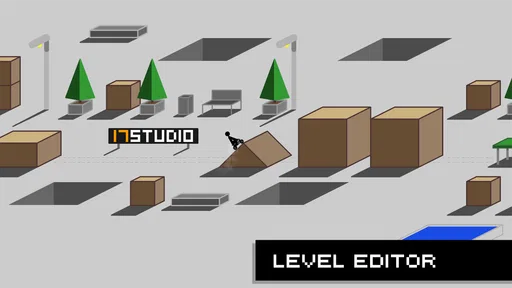
I’d recommend it to players who like tinkering, drawing, and learning through repeated attempts. It can be a good fit for a casual break, or for someone who enjoys making a challenge rather than only completing one. The built-in level editor is a meaningful part of that appeal: creating a course gives the game a different kind of goal from simply finishing a race.
On the other hand, it’s not my first pick for someone who wants realistic motorcycle handling, detailed scenery, or a straightforward championship structure. The spare presentation and emphasis on drawn routes are central to the experience, not a short introduction before a conventional racer takes over. If those are the things you want most, another racing game will probably feel more rewarding.
What to know before installing
Draw Rider is a paid game from 17Studio LLC, released on July 22, 2012. It costs $1.99, carries an Everyone 10+ age rating, and its current version is 10.0. It requires Android 6.0 or later. The game has an average rating of 3.3 from around 4,500 ratings, with about 582 written reviews and over 100,000 installs. Optional in-app purchases range from $0.99 to $4.99 per item, so I’d check the purchase prompts before spending beyond the initial price.
Those details make it worth thinking about the kind of value you want. The editor may give a curious player reasons to return, while someone who only wants a quick race may not get as much out of the creative tools. I’d approach it as a compact, hands-on puzzle racer rather than a large collection of conventional races, and decide whether drawing and testing routes sounds fun before paying.
Stability, recovery, and device expectations
The simple visual style keeps the focus on the track and rider, and in my experience it doesn’t ask for the kind of visual attention that a detailed 3D racer does. Still, a minimal look alone can’t promise identical performance on every device. If a run goes wrong, the useful recovery is often to rethink the route or your approach and try again, rather than expecting the game to turn a failed attempt into a smooth ride.
For a realistic everyday use, I’d keep it in mind for a short wait or a quiet break when I can concentrate for a minute or two. The drawing mechanic is less suited to playing while distracted: a small adjustment can change the whole ride, and interruptions make it easy to lose track of what I was testing. It’s a modest but important trade-off—the same hands-on control that makes the game distinctive asks for attention.
Players wondering whether the editor is worth exploring should consider what they enjoy most. If making a route sounds as entertaining as riding it, the extra creative layer can give a session its own purpose. If you prefer content that is ready to play and a clear sequence of races, the editor may matter less, and a more conventional racer could be the simpler choice.
I’d also treat the purchase and optional spending as separate decisions. The initial $1.99 price is clear, while the listed in-app items cost from $0.99 to $4.99 each; that does not mean you need to buy them to decide whether the core idea works for you. I’d first see whether drawing, testing, and refining routes feels enjoyable, then consider any optional purchase only if it has a specific appeal.
First Impressions: A Minimalist Playground
From the moment you open Draw Rider Plus, you’re greeted with a minimalist design that’s both sleek and inviting. The game doesn’t bombard you with flashy graphics or overwhelming menus. Instead, it focuses on what matters most: the gameplay. You’re tasked with drawing lines that your rider will then navigate, and trust me, it’s more challenging than it sounds.
Gameplay Mechanics: Simplicity Meets Complexity
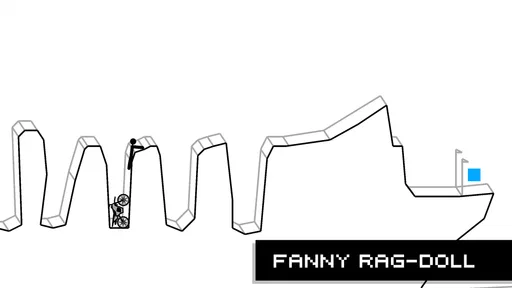
The core mechanic revolves around drawing paths for your rider to traverse, and while this sounds simple, the physics engine adds a layer of complexity that keeps things interesting. The bike reacts to every bump, dip, and jump you create, making each level a unique challenge. It’s a game where precision and creativity go hand in hand.
What I loved most is the sense of achievement when you finally nail a tricky level after several attempts. It’s the kind of frustration that keeps you coming back for more, determined to outsmart the game’s challenges.
Level Design: A Canvas of Challenges
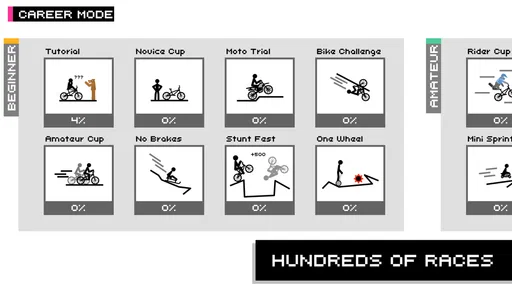
The levels are beautifully crafted, offering a variety of terrains and obstacles. From simple straight lines to complex loops and jumps, there’s a little something for everyone. As you progress, the levels become increasingly intricate, demanding more from your strategic and creative abilities.
One of the standout features is the user-generated content. You can create your own levels and share them with the community, adding endless replayability. The creativity within the community is impressive, and it’s always fun to see what others have come up with.
Graphics and Sound: Simple Yet Effective
The graphics are intentionally minimalistic, focusing on the line-drawn aesthetic that defines Draw Rider Plus. This choice keeps the game running smoothly on a wide range of devices, which is a big plus. It’s not about flashy visuals but rather the challenge and creativity of the game.
The sound design complements this simplicity. The sound effects are subtle but effective, providing just enough feedback without being intrusive. It’s a nice balance that lets you focus on the task at hand.
Overall Experience: Addictive and Rewarding
What keeps me hooked is the addictive nature of the game. Every level feels like a puzzle waiting to be solved, and the satisfaction of completing a challenging course is immensely rewarding. The learning curve is just right, offering enough challenge to keep you engaged without feeling impossible.
The ability to create and share your own levels means that the game can be as expansive as you want it to be. It fosters a sense of community and creativity that’s rare in mobile games.
In conclusion, if you’re looking for a game that blends creativity with challenge, Draw Rider Plus is definitely worth checking out. It’s a game that encourages you to think outside the box and rewards you for doing so. So grab your device, start drawing some crazy tracks, and see how far you can ride!
Verdict
Strengths of Draw Rider Plus
- Extensive track customization options.
- Smooth and intuitive controls.
- Challenging and engaging gameplay.
- Regular updates with new features.
- Offline mode available.
Limitations of Draw Rider Plus
- Steep learning curve for beginners.
- Occasional in-game ads despite purchase.
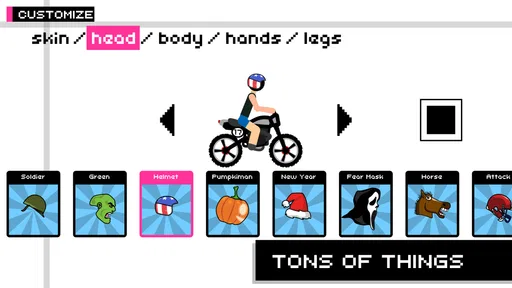
- Limited character customization.
- Soundtrack can be repetitive.
- Some levels require in-app purchases.
Similar Picks in This Category
View All
Hill Climb Racing
Fingersoft4.3

Dr. Driving
SUD Inc.4.2

Traffic Rider
skgames4.5

Asphalt 8 - Car Racing Game
Gameloft SE4.6

Race Master 3D: Car Racing
Beresnev Games4.6

Extreme Car Driving Simulator
AxesInMotion Racing4.3
Frequently Asked Questions
What is Draw Rider Plus and how does it differ from the free version?
Draw Rider Plus is an enhanced version of the popular physics-based racing game, offering additional features like more levels, customizations, and an ad-free experience. Unlike the free version, Plus provides access to all game content without in-app purchases, allowing for a more seamless and enjoyable gaming experience.
Is Draw Rider Plus suitable for all ages?
Draw Rider Plus is generally suitable for teens and adults due to its challenging levels and complex mechanics. The game involves physics-based puzzles that may be too difficult for younger children, but older players will find the gameplay engaging and rewarding. Always check the app’s age rating for more specific guidance.
Can I play Draw Rider Plus offline?
Yes, Draw Rider Plus can be played offline, making it a great option for gaming on the go. Offline play ensures you can enjoy the game without needing a constant internet connection, although some features like leaderboard updates or user-created content may require going online.
Does Draw Rider Plus support multiplayer or competitive modes?
While Draw Rider Plus primarily focuses on single-player gameplay, it does feature competitive elements such as leaderboards, where you can compare your scores with other players globally. However, it does not have real-time multiplayer modes, keeping the focus on individual skill and progression.
What devices are compatible with Draw Rider Plus?
Draw Rider Plus is available on both Android and iOS platforms. It supports a wide range of devices, but for the best performance, it is recommended to use a device with updated software and sufficient processing power. Always check the app store for specific compatibility requirements for your device.
Play our best games!


